
Expenses
Stop losing receipts in email threads. Record expenses on the go, attach proof, and classify them for VAT and income tax. Connect spend to projects or matters so you know true margin per client. Approval paths and export options keep finance and advisors aligned — fewer surprises at quarter close.
Why this module makes the difference
Instant capture
Upload receipt photos or PDFs. OCR extracts amount, date, and VAT in seconds.
Tax-ready categories
Classify by project, cost center, or tax line so your accountant gets structured data.
Supplier management
Master data with tax IDs, terms, and purchase orders to avoid repetitive errors.
Partial payments
Record partial or full payments against each expense and keep real balances aligned.
Expense capture
Log spend quickly from web or mobile with tax, date, and amount so quarter-close isn’t a memory game.
Categories
Classify by project, cost center, or tax line so reports map cleanly to advisor-ready exports.
Partial payments
Spread payments across bills or advances and keep balances aligned with bank reality.
Attachments
Store photos, PDFs, and email proof; retrieve evidence in seconds for audits or disputes.
Suppliers
Master data with tax IDs and terms; stop retyping VAT numbers and IBANs on every bill.
Purchase orders
Formalize internal needs before invoicing; track approvals and receipts against each PO.
Supplier invoices
Match incoming bills to POs and payments; catch duplicates and amount mismatches early.
Module views
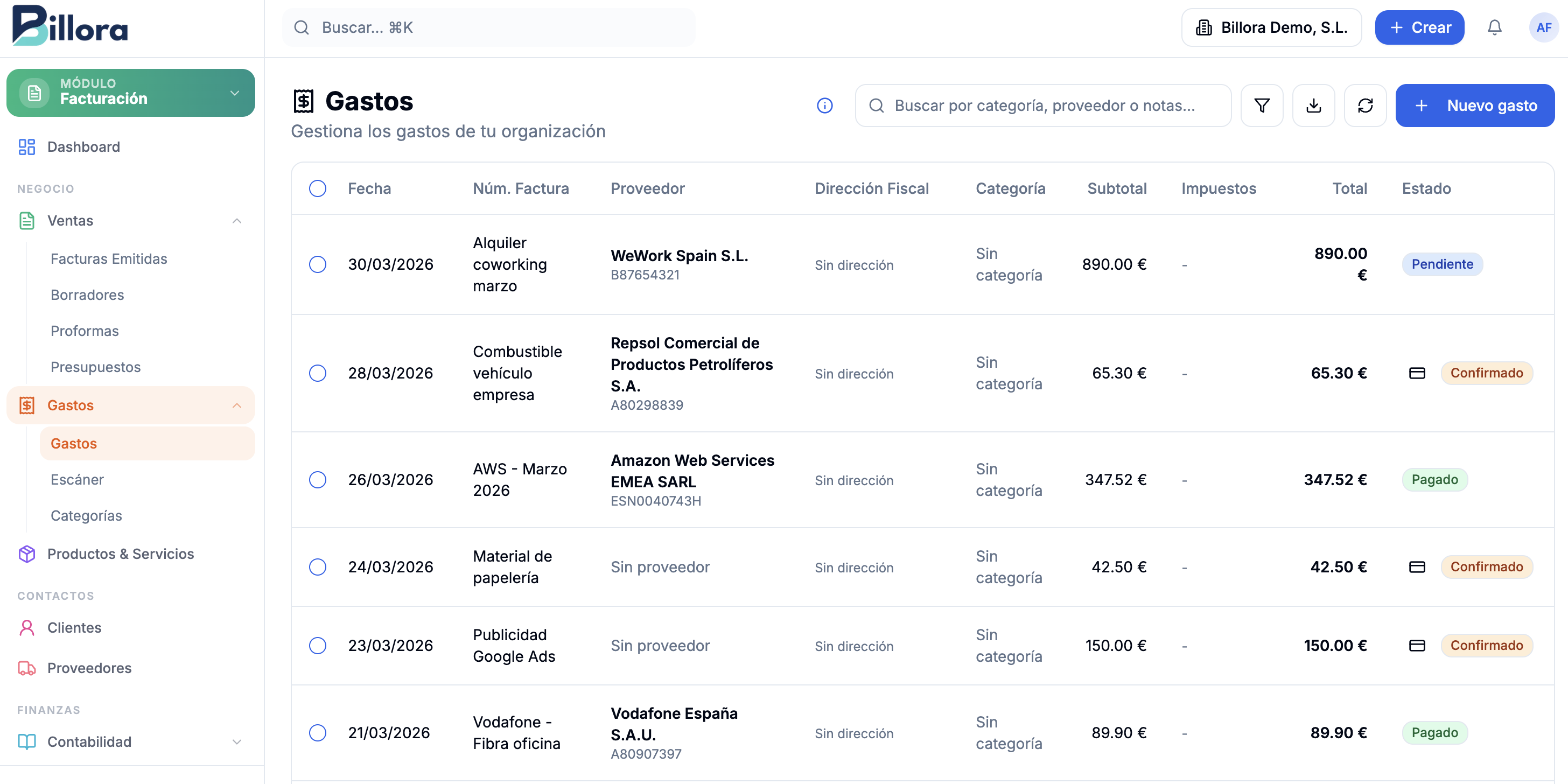
How it works
Log the expense
Upload a photo, PDF, or enter data manually. OCR suggests supplier, amount, and VAT.
Classify & approve
Assign tax category, project, or cost center. Attach supporting documents.
Pay & reconcile
Record partial or full payments. Balances update automatically for quarter-close.
Who benefits
See how this module adapts to different sectors.
Frequently asked questions
Modules that complement it
Ready to simplify billing and back office?
Join professionals who chose one platform instead of ten tabs. Start your trial — see value in days, not months.